Track. Log. Review. Reimburse
Mileage reimbursement – done right and off your plate
Reimbursing employees for business miles is a job that has to be done — accurately, and the way the IRS requires. Driversnote makes it fast, keeps the numbers trustworthy, and gets the documentation right, so it stops eating your time.

Automatic mileage tracking, admin reduced
Drivers track automatically
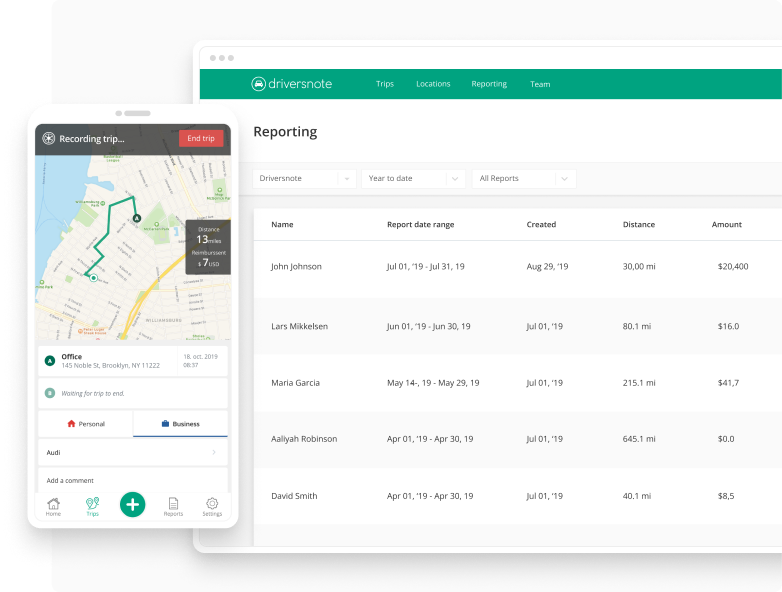
Trips log on their own as the team drives. Drivers just submit their report — and you can set reminders so reports land before the deadline.
You review in one place
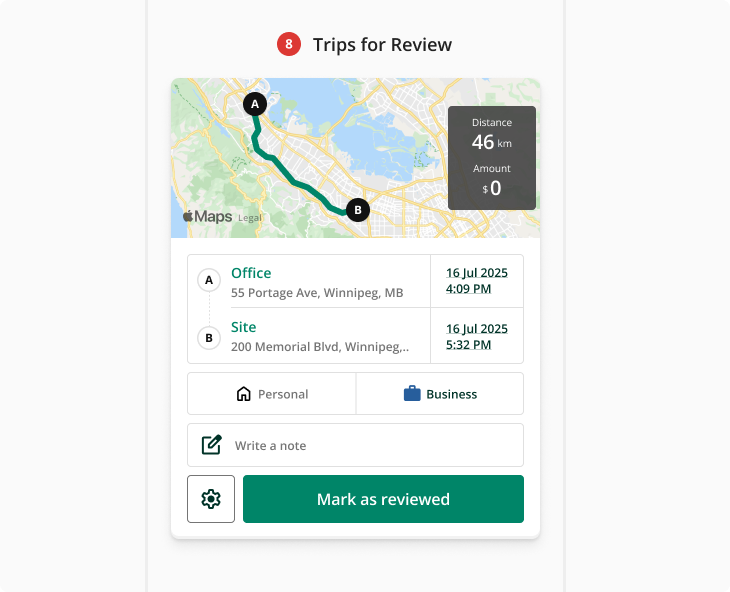
Every driver's mileage in one dashboard. Approve, reject, or check a route on a map. Set custom mileage rates, share locations, and define reporting periods.
Export ready for payroll
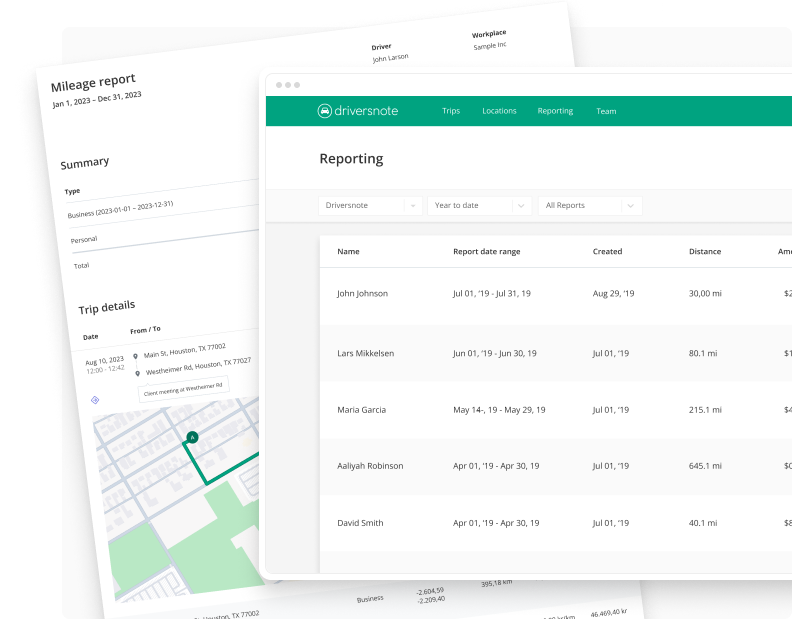
Download PDF or Excel reports for payroll, finance, or your bookkeeper or accountant — in-house or external. Edits are logged, so the record stays transparent.
No more chasing numbers
Mileage admin is a bit like cleaning. Nobody's thrilled to do it, but it has to be done.
It won't grow your business on its own. But you do want it correct, because the alternative is a real headache: inflated reimbursements, audit risk, and records that don't hold up to IRS standards.
The old ways drag it out, too. Chasing people for numbers, retyping spreadsheets, taking "about 40 miles" on faith.
Driversnote makes the whole thing fast and accurate, then gets out of your way.
A game changer.
“The time it saves me .. love love love”

Accurate and reliable mileage tracking for your business
When employees drive their own vehicles for work
Your team drives their own cars for work. Driversnote logs every business mile automatically, so reimbursements are based on the trips they actually drove — not rounded-up guesses.
Whatever your reimbursement program — cents-per-mile (CPM), FAVR, or an accountable plan — we can help you run it on accurate records.
Get support for company car records
When you have company cars in the mix
Have company vehicles in the mix? Track the split between business and personal driving, so you have clear records of how each car was used.
iBeacon
Accurate auto-tracking with the iBeacon
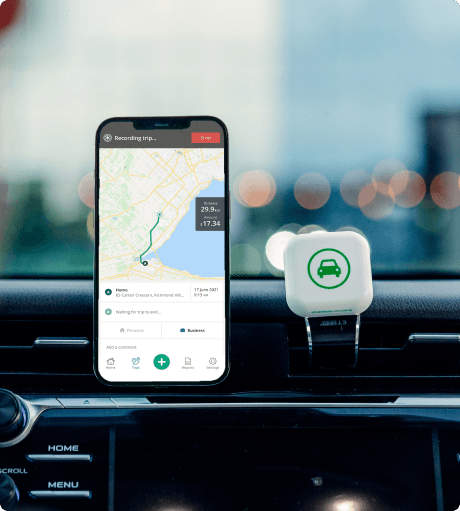
Get the Driversnote iBeacon free with any yearly plan upgraded on the web — the simplest way to ensure every business trip is tracked accurately.
This compact Bluetooth device is placed in a vehicle and automatically starts and stops trip tracking in the Driversnote app when a driver enters or leaves the vehicle.
Tracking only starts when it's needed — not every time a phone moves. That means drivers don't waste time cleaning up irrelevant trips, battery use stays low, and mileage logs stay accurate for reporting.
Learn more about the iBeaconWhy the numbers hold up
It's one thing to say “trust the numbers” — here's why you can.
Drivers actually use it right, because it's automatic. No remembering to start a trip, no end-of-day reconstruction — so the data stays clean and teams stick with it.
You can check anything that looks off. Every trip shows its route on a map, and manually added trips are flagged — so a questionable claim is obvious before it reaches payroll.
What's approved matches what was driven. GPS-logged miles, not “about 40,” so reimbursement is fair to the driver and accurate for the business.
Every trip carries date, distance, route and purpose — the detail behind a defensible mileage record, formatted to support IRS documentation.
Kept as long as the IRS requires. The IRS generally expects mileage records to be kept for at least 3 years — 7 is the safer window if income could be questioned. Driversnote stores them and exports on demand.
Ready whenever someone asks — payroll, your accountant, or an auditor. Export to PDF or Excel anytime, for one driver or the whole team.
Trusted by managers. Preferred by drivers.

Driversnote app is used for mileage tracking for a business and for the IRS. The electronic trackers in our cars as well as the apps both work well on both iOS and Android. The staff at Driversnote has been great to work with when any questions arose. I recommend this company and their products.
William Lees Very reliable. Five star app, very good for tracking miles and very dependable.
L.C.A.E. Service LLC. This app makes every drive for business purposes so easy to keep track of. If you're forgetful like me, just put it on auto detect and it records your drives, making it stress free. I'd be lost without it.
Tracey Matthews Best mileage tracker I've used by far. This is the easiest and most accurate mileage tracker I've ever used. We use it for our real estate business.
Csmith3922 I've been using the Driversnote app for many years now and am very happy about it. I can track my mileage and no need to keep another logbook. I can print the report every month and attach it to my claim form. Highly recommended for business.
Joel Goyena Great app for saving time! Amazing for time management when you have multiple stops. Saved me a ton of time and made my time on the road much more efficient — it helped me make more sales calls because I wasn't wasting time!
AZb's I use this to track all my vehicles. They have the best support if needed. Very responsive.
Smolder O I just love this app — it takes care of everything with just a push of a button.
Shondrika Hughes Best app for business car trips. This is the best app for car mileage documentation for business travel. I use this app every day and it works flawlessly.
Flint302 I love this app! Works great for keeping track of business/personal miles. And when I have an issue, the customer support is amazing — best I've encountered in a very long time. Highly recommend this app and the iBeacon option.
matt p A great mileage tracker for me and my co-workers. Easy to track mileage and make any adjustments needed. Tracks automatically and can be turned off if desired. Also easy to make PDFs to submit for reimbursement.
Tim Getz I love this app. I use it for all of my business mileage tracking needs. I plan to buy the iBeacon as an add-on, to simplify my tracking needs!
ALEX9528! It's great. Takes all the paperwork troubles away.
Kimberley Padgham One app for all the logbook needs.
Tipu PorusWhy teams choose Driversnote
Pricing
Manager and admin seats are free; you only pay for the drivers who track. Reassign licenses as your team changes.
Onboarding
Invite your drivers and managers in a few clicks to set it up yourself — or, if you'd rather, our support team is happy to onboard you.
Support
Fast, helpful answers from real people — the kind you get to know by first name, not a ticket queue.
Works everywhere
Track across iOS, Android, web and the iBeacon — so every trip is captured, however your team drives.
Build it into your own systems with our API
On the Pro plan you get access to our open, well-documented API — pull trip and reimbursement data into your own tools, or sync it with the systems your team already uses.
See all plans and pricing nowFeatures teams love

Tax-compliant reports

Fast approvals

Accurate GPS tracking

Manual trips, verified

Custom rates & periods

Privacy built in

Works everywhere

Easy exports
Open API (Pro plan)
Manual trips, verified
Custom rates & periods
Privacy built in
Works everywhere
Easy exports
Open API (Pro plan)
Frequently asked questions
Trips log automatically via phone GPS (and an optional in-car iBeacon), so there's nothing to start or stop manually. Drivers review their log and submit a report — you can set reminders so reports land before your deadline.
Yes. Whatever your reimbursement program — cents-per-mile (CPM), FAVR, or an accountable plan — Driversnote gives you the accurate, per-trip records to run it on.
Yes. Every driver's mileage lands in one dashboard where you can approve, reject, or check a route on a map before anything reaches payroll.
PDF and Excel — for a single driver or your whole team, for any reporting period you define.
Yes. Set custom mileage rates and define the reporting periods that match how your team works.
Automatic GPS tracking keeps logs precise, and any manually added trip is flagged and shown on a map — so a questionable claim is obvious before it's approved.
No. Drivers own their trip log and choose what to submit — you only ever see the trips they report.
Track the split between business and personal driving for each vehicle, so you have clear records of how every company car was used.
Yes — an open, well-documented API is available on the Pro plan.
Get mileage tracking and reimbursement off your plate faster
It's a job that has to be done right. Let Driversnote make it fast, keep the numbers trustworthy, and keep the records compliant — so month-end isn't your problem anymore. Book a 20-minute demo and we'll set it up around your team, or start free and invite a couple of drivers today.